
Payment links for QuickBooks Online
Send the invoice. Get paid. Your books update themselves.
Send your customer a payment link. They open it and pay in a few clicks. The matching invoice in QuickBooks Online is marked paid, with no re-entry.
Prefer to talk? Call 561-235-7580
Sound familiar?
Invoices go out. Then the chasing starts.
- Invoices sit unpaid while you chase the check or the card
- Someone retypes each payment into QuickBooks Online
- A deposit arrives and nobody can match it to the invoice
- Your team spends Friday afternoons reconciling
- Reports are wrong until someone fixes them by hand
Can you fix it?
Yes. Send a link, and the invoice closes itself.
The payment, the invoice and your books move together, with nothing to retype.
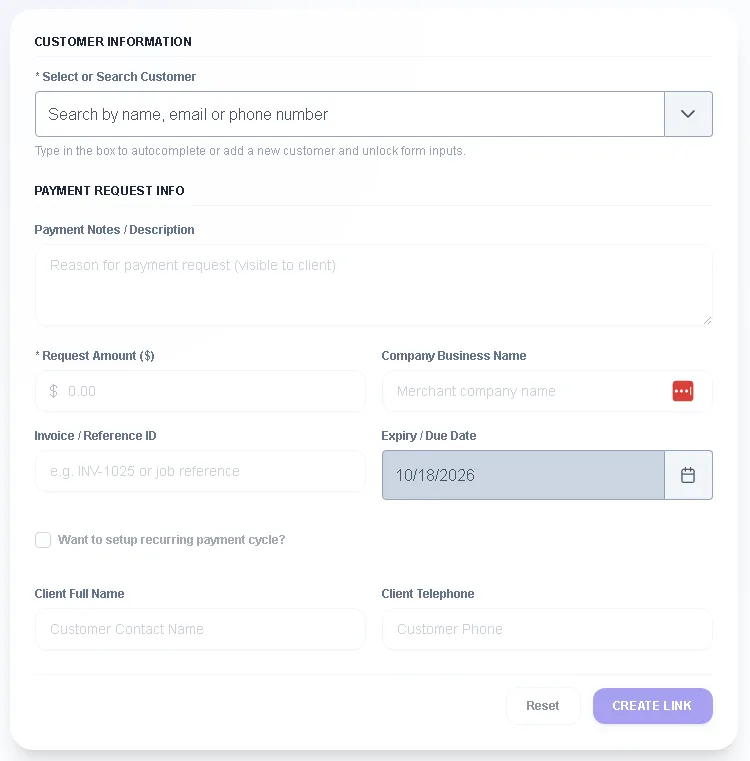
- Enter the amount, the invoice number and your customer
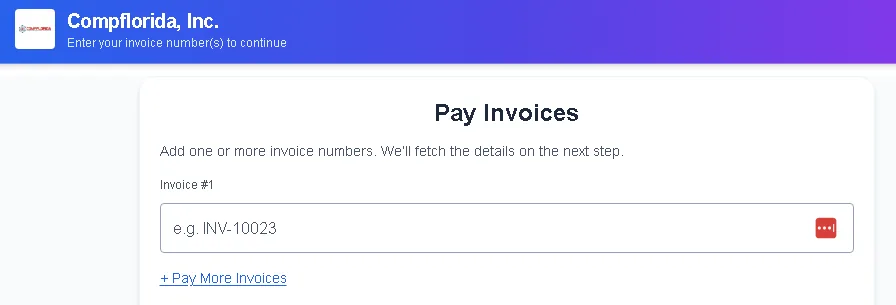
- Your customer pays on a page with your business name
- The matching QuickBooks Online invoice is marked paid
- No payment details to type in twice
What happens next?
Four steps from invoice to paid.
Send a payment link
Enter the amount and invoice number. Send the link to your customer.
Your customer pays
They click the payment link in the invoice email you already send, and pay by card.
QuickBooks Online updates
The matching invoice is marked paid, so your books match the bank.
You see it in one place
Your dashboard shows what is paid, what is pending and what failed.
Can I trust you?
Here's how we handle your money and your data.
Card data stays with the processor
Payment data goes to your payment processor for authorization and settlement. ApiCards never receives or stores full card numbers. This website takes no payments and collects no card details. Every transaction runs on apicards.app.
We are independent
ApiCards is an independent software vendor. No processor, bank or other entity owns us, so we match you with the processor that fits your business.
We'll tell you if we're not a fit
We work best with businesses that send invoices and use QuickBooks Online. If that's not you, we'll say so up front.

Is this for you?
Built for businesses that bill other businesses.
Service companies
Send the invoice when the job is done, not a week later.
Property managers
Send a payment link for a balance due, and see it marked paid in your books.
Professional firms
Attach a payment link to the invoice so clients can pay in one click.
Not the right fit: small, low-volume merchants, or businesses shopping only on price.
Questions
Straight answers.
What does ApiCards do?
ApiCards lets a business send its customer a payment link. When the customer pays, the matching QuickBooks Online invoice is marked paid automatically, so nothing has to be re-entered.
Who pays, and how?
Your customer opens the payment link and pays by card on a page that shows your business name and the invoice number. You don't need card terminals.
Does ApiCards store my customers' card numbers?
No. Payment data goes to the payment processor for authorization and settlement. ApiCards never receives or stores full card numbers.
Which accounting software does ApiCards work with?
ApiCards works with QuickBooks Online.
Do I need developers or custom software?
No. Send a link and the invoice updates in QuickBooks Online without custom builds or development work.
Who is ApiCards for?
Businesses that send invoices to other businesses and use QuickBooks Online, such as service companies, property managers and professional firms. It isn't designed for small, low-volume merchants.
Do you guarantee approval?
No. Each payment processor reviews a business before it accepts the merchant. The review depends on factors such as business type, industry and risk. ApiCards can only start working with you after a processor accepts you.
Which payment processors do you work with?
We work with leading payment processors and add more over time. We tell you which one fits your business and why.
Who owns ApiCards?
ApiCards is an independent software vendor. No payment processor, bank or other entity owns it.
What happens after a processor accepts me?
Sign-up and every transaction run on apicards.app. After approval, the processor sends the API details and merchant ID for your business, and we connect them to QuickBooks Online so your payments sync automatically.
Who does the setup?
We do. Once you're approved, our team handles the connection. If you'd rather take part, we can do it with you in a remote session.
How do I get started?
Tell us the basics: your business type, how you invoice today, and how many invoices you send each month. Start your inquiry at apicards.com/inquiry, or call 561-235-7580 or email [email protected].
Let's look at your invoices
Tell us how you bill today.
Share the basics and we'll show you a payment link on your own invoice. We do the setup for you, and we can do it with you in a remote session if that suits you. No obligation.